ISO images are treated differently from regular ADI images. The term "restoring" applied to an ISO image means burning it back to a CD/DVD media.
When a regular backup (.ADI file) or a raw image (.DIM file) is selected as a source, Image to Disk wizard will lead you to selecting a target disk or partition, selecting size, drive letter etc. However, when an ISO image (file with .ISO extension) is selected as a source image, the next wizard dialog will be Burn ISO Image, asking to select a burning device and set write speed.
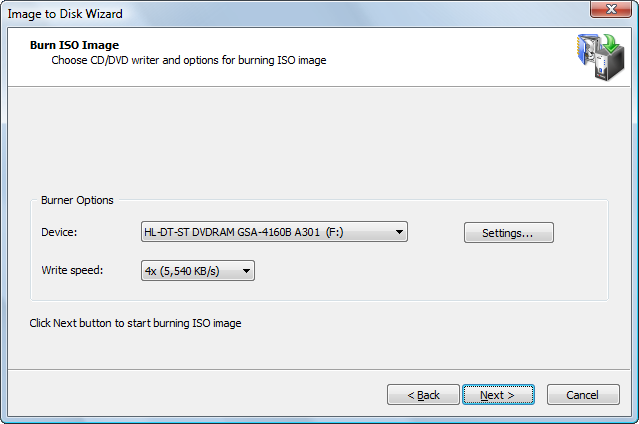
A blank writable media must be inserted and write speed selected in order to start burning. If there is no suitable media is detected in selected device, Write Speed listbox will be empty and button Next will be disabled. You may optionally change the burner settings by clicking the Settings… button.
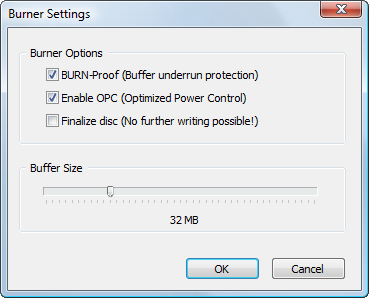
First two options enable hardware burning optimization and buffer under run protection. It is highly recommended to leave them on. After a Next button is clicked, the burn starts. The progress window reflects the status of the burning.


