Active@ Disk Image keeps a record of every operation that it performs. You may view the details of this record to help overcome difficulties when saving or restoring a disk image.
To open the View Log dialog box:
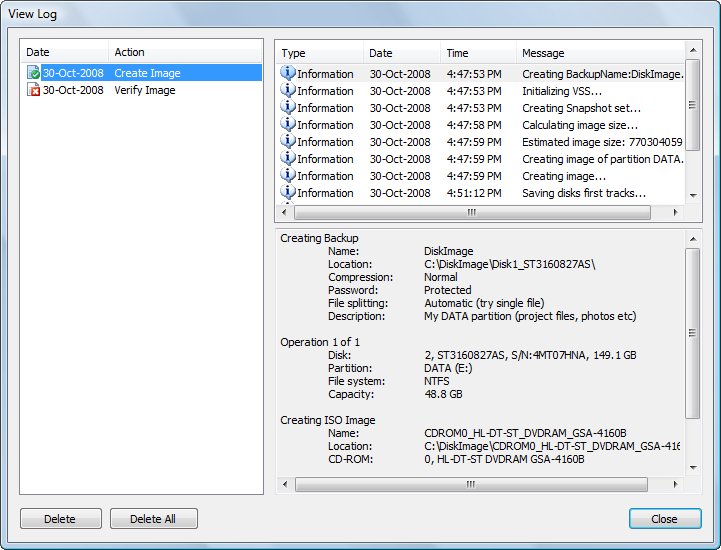
The View Log window is divided to the three panels. The left panel shows a list of all actions performed. Each item in the action list is a log. When you select a log in the action list, the top right panel displays information, warning and error messages that Active@ Disk Image created during the selected action or operation. When you select a message in the message list, details of the selected message are displayed in the bottom right panel.
Each log in the action list has an icon that shows the resulting status of that action or operation:
 |
Action or operation finished successfully |
 |
At least one warning message was created. The operation completed successfully in spite of the warning. |
 |
At least one error happened during the operation. The operation did not complete. |
 |
The operation is in progress. There are no errors or warnings at this point. |
To delete logs:
Besides regular logs, you also have an option to create an additional text log. It contains the same information as a regular log. In order to create it, make sure that the Write Text Log to: check box is enabled at the confirmation dialog of a wizard.
Besides XML log files in the Logs folder accessible via the GUI, and text logs placed along with the image, Active@ Disk Image places logs into the Windows Application log. These logs are created for the administrator's convenience and can be viewed by Event Viewer.

