Active@ Disk Image

Hard Drive Backup Software

Downloads | Products | Support | Partners | Contacts  
Active@ Disk Image


Active@ Disk Image Support Center
Users Guide


Confirming Partition Delete on Target Disk

When you copy all partitions from a source disk in Disk Mode, all partitions on the target disk - along with all data on them - must be deleted. This confirmation page is your final warning. 
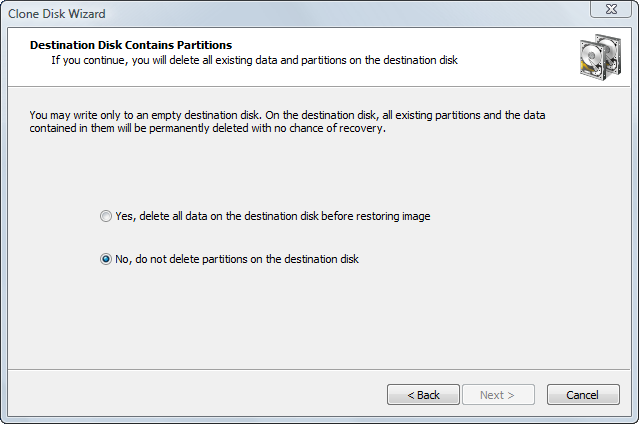
To proceed, select Yes, delete all partitions on the selected disk and click Next.

See Also

Cloning a Whole Disk


Previous Contents Next
Active@ Disk Image
Active@ Products

Active@ Boot Disk
is a bootable Live CD/DVD for system recovery purposes.
Active@ File Recovery
recovers data after formatting or loss of partitions.
Active@ KillDisk
is a disk eraser software for secure formatting of hard drives. DoD 5220.22-M compatible.
Active@ Password Changer
is a DOS-based solution for resetting local user passwords.
Active@ Partition Recovery helps to recover deleted partitions and logical disks on hard drives.


Send Feedback | Report an Error

Active@ Data Recovery Software 2008

DownloadBuyLearn more