When running Active@ Disk Image from a Boot Disk (using Windows PE environment), it is not possible to assign a drive letter due to the temporary nature of Windows PE. This wizard page will not appear.
To assign a new drive letter to the new partition, select a letter from the dropdown box.
The list contains all drive letters that are unassigned. If the letter that you want to assign is already taken, it will not be in the list.
To use a letter that is already assigned, you must close Active@ Disk Image and free up that letter. After the letter is free, start Active@ Disk Image again and return to this page.
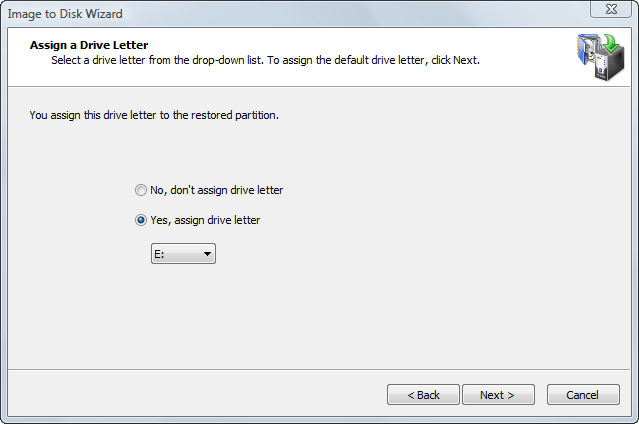
To allow the operating system to assign the drive letter, click No, don't assign drive letter. In this case Windows will assign a drive letter to the newly created partition by default, giving it the next free letter. However, if no letter is given to the partition, you can use Disk Manager to assign a drive letter later.
The drive letter you choose might be very important if the restored partition contains installed programs. For example, if you created a disk image of programs on partition E:, you should restore the image back to a partition with the letter E:. Otherwise, all links stored in the registry that refer to those programs installed on E: will become invalid.

