Configure the compression settings and image splitting and enter a description for the archive.
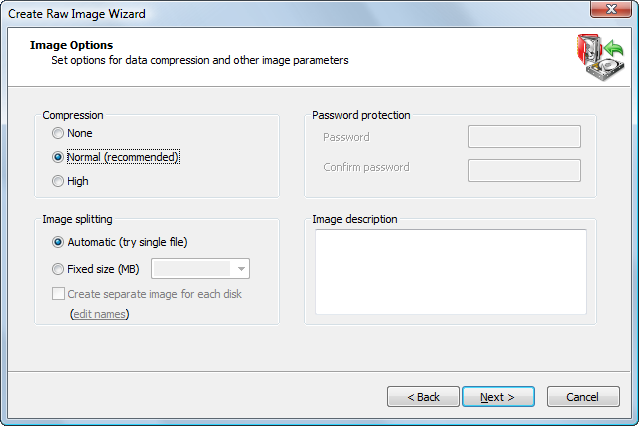
The effectiveness of compression depends on the type of data in the files you are going to back up. Text documents can be reduced in size significantly. Trying to compress picture files or data that is already compressed, (for example, ZIP files) will yield a small file size difference.
There are three compression settings indicated here by the affect each one has on the speed of the operation:
When you compare the size of an image created using Normal and an image created using High options the difference in file size is not significant. Because high compression takes significantly more time, use it only when you need to get the smallest possible image and when speed is not important.
All image contents can be written into one file, depending on the size of the partition. When a disk image can be written into one file, the image file and the archive are the same thing. When Image splitting is set to Automatic (try single file), the resulting archive may be written into one file.
Archive backups can be written to multiple files. Here are the situations when it is necessary to split the image:
If you select the Automatic (try single file) option, the archive will not necessarily be written into one file. If the system runs out of free disk space on the disk where you are saving the backup or if you are storing an image file on disk with a FAT file system, Active@ Disk Image automatically splits the archive into multiple files and prompts you for the path to write the next file.
You may give a short description to the contents of your image. Enter descriptive text (maximum 1,024 characters) into the Image description text box. In this text box, you may use the Enter key to make line breaks.
If the data that you are saving is confidential, be aware that the text that you enter into the Image description text box is stored as clear text. You are not required to use a password to view this description, so do not place confidential information here.

