![]() |
|
|
Choosing a Backup LocationSpecify where to write the Raw Disk Image archive.
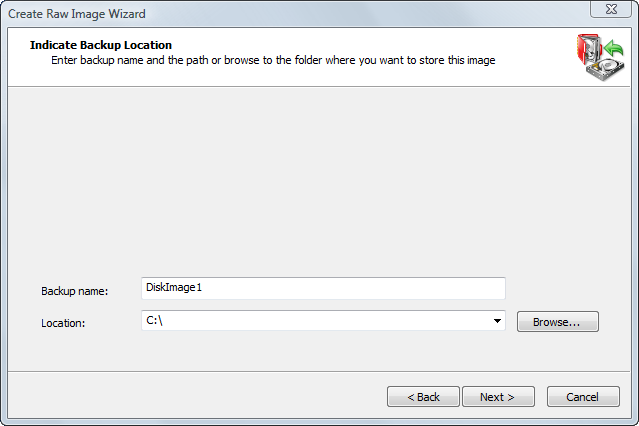
When creating an image, all files belonging to it (.DIM file, data files, .XML configuration file and optional text .LOG file) will be placed in one folder with the same name as the backup name. For example, if you choose a backup location such as C:\Backups and a backup name DiskImage, the main data file will have the name C:\Backups\DiskImage\DiskImage.dim. See Also
|
![]() Active@ Boot Disk is a bootable Live CD/DVD for system recovery purposes. Active@ File Recovery
recovers data after formatting or loss of partitions. Active@ KillDisk
is a disk eraser software for secure formatting of hard drives. DoD 5220.22-M compatible. Active@ Password Changer
is a DOS-based solution for resetting local user passwords. Active@ Partition Recovery helps to recover deleted partitions and logical disks on hard drives.
|
||||
| Features List|System Requirements|Downloads|Pricing & Licensing|Buy On-line|User Guide |
||||||
Send Feedback | Report an Error Active@ Data Recovery Software 2008 |
||||||