Active@ Disk Image

Hard Drive Backup Software

Downloads | Products | Support | Partners | Contacts  
Active@ Disk Image


Active@ Disk Image Support Center
Users Guide


Rescheduling a Task

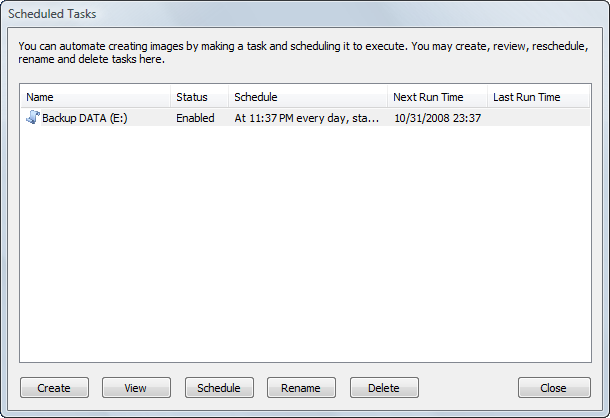
A task is first scheduled during the Create Task wizard. You may later change the scheduled time (condition) without recreating the task. Another option is to enable / disable an existing task. To do so, run the Schedule Task wizard by clicking the Schedule button in the Scheduled Tasks dialog.
See Also

Tasks Dialog


Previous Contents Next
Active@ Disk Image
Active@ Products

Active@ Boot Disk
is a bootable Live CD/DVD for system recovery purposes.
Active@ File Recovery
recovers data after formatting or loss of partitions.
Active@ KillDisk
is a disk eraser software for secure formatting of hard drives. DoD 5220.22-M compatible.
Active@ Password Changer
is a DOS-based solution for resetting local user passwords.
Active@ Partition Recovery helps to recover deleted partitions and logical disks on hard drives.


Send Feedback | Report an Error

Active@ Data Recovery Software 2008

DownloadBuyLearn more