![]() |
|
|
Tasks DialogYou can get access to the configuration of tasks by double clicking the Schedule Task icon in the main window or by selecting menu command File / Schedule Task.
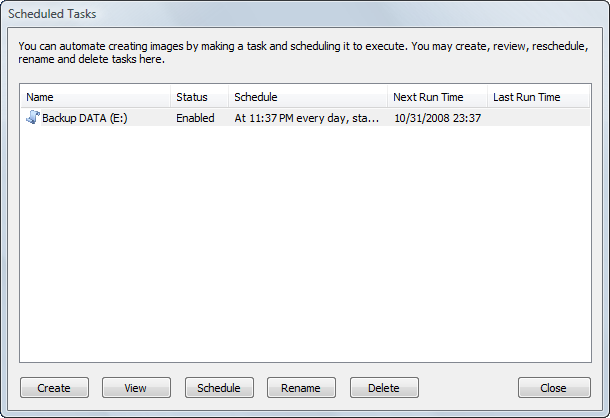
The Scheduled Tasks dialog shows the list of created tasks with the following information:
To create a new task, click the Create button. You may create tasks for both a Backup Disk Image and a Raw Disk Image. The second wizard dialog asks you to choose a backup type. The dialogs that follow are exactly the same as in the Disk To Image and the Create Raw Image wizards except you cannot schedule an image to be burnt onto CD/DVD. See Also
|
![]() Active@ Boot Disk is a bootable Live CD/DVD for system recovery purposes. Active@ File Recovery
recovers data after formatting or loss of partitions. Active@ KillDisk
is a disk eraser software for secure formatting of hard drives. DoD 5220.22-M compatible. Active@ Password Changer
is a DOS-based solution for resetting local user passwords. Active@ Partition Recovery helps to recover deleted partitions and logical disks on hard drives.
|
||||
| Features List|System Requirements|Downloads|Pricing & Licensing|Buy On-line|User Guide |
||||||
Send Feedback | Report an Error Active@ Data Recovery Software 2008 |
||||||