You may control how many previous copies of scheduled backups you want to keep.
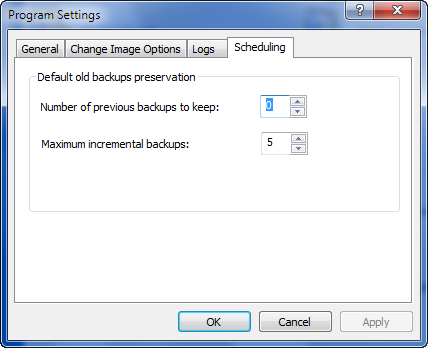
Selecting 0, means that only the most recent copy will be kept. The previous copies of a scheduled backup are erased only after the current backup is successfully created.
Maximum incremental backups sets the default value for the number of incremental backups in sequence after a full backup.
The value of 5 means that a full backup will be created and 5 incremental backups after it, then repeating the sequence again — 1 full and 5 incremental.
This is a default setting only. When you create a task, an Options page will contain a Number of previous backups to keep parameter with the value taken from this setting. You may overwrite it, giving individual values for each backup. The same is true for Maximum incremental backups.

